Docs
The JASMIN Object Store
The JASMIN Object Store
The JASMIN object store provides a S3 compatible storage alternative to POSIX based disk. It provides a number of advantages over traditional POSIX based storage, mainly around external accessibility due to the use of access keys and policies.
Access keys and bucket permissions can be managed through the JASMIN Object Store Portal , see here for use.
For information on tools to use with the JASMIN object store see S3 Tools.
What is object storage?
An object store is a data storage system that manages data as objects referenced by a globally unique identifier, with attached metadata. This is a fundamental change from traditional file systems that you may be used to, as there is no directory hierarchy - the objects exist in a single flat domain. These semantics allow the object store to scale out much more easily than a traditional shared file system.
The other fundamental change is that the data is no longer accessed by mounting a file system onto a host and referencing a file path (where authentication is “can I log in to the host”). Instead, the data is accessed over HTTP, with authentication using HTTP headers. This has many benefits, the biggest of which is that we can make the object store available outside of the JASMIN firewall, for example to the JASMIN Cloud. Data can be read and written in the same way, using the same tools, from inside and outside JASMIN. Contrast this with Group Workspaces, where you must be logged in to a JASMIN host in order to write data using the file system, and data is only accessible externally in a readonly way using HTTP or via data transfer methods.
Object stores are seen as the most efficient way to store and access data from the cloud, and all the major cloud providers support some variant of object store. The JASMIN object store is S3 compatible - S3 is the object store for Amazon Web Services (AWS), and has become a de- facto standard interface for object stores. This means that all the same tools that work with AWS S3 will also work with the JASMIN object store. Note that while the JASMIN Object store is S3-compatible, it may not support all the features that AWS S3 does.
Accessing the object store
The JASMIN object store is organised into tenancies. These are shared areas of the object store, similar in concept to Group Workspaces, and are requested by users, usually Group Workspace Managers. Several users can have access to a tenancy, and so they can be used collaboratively.
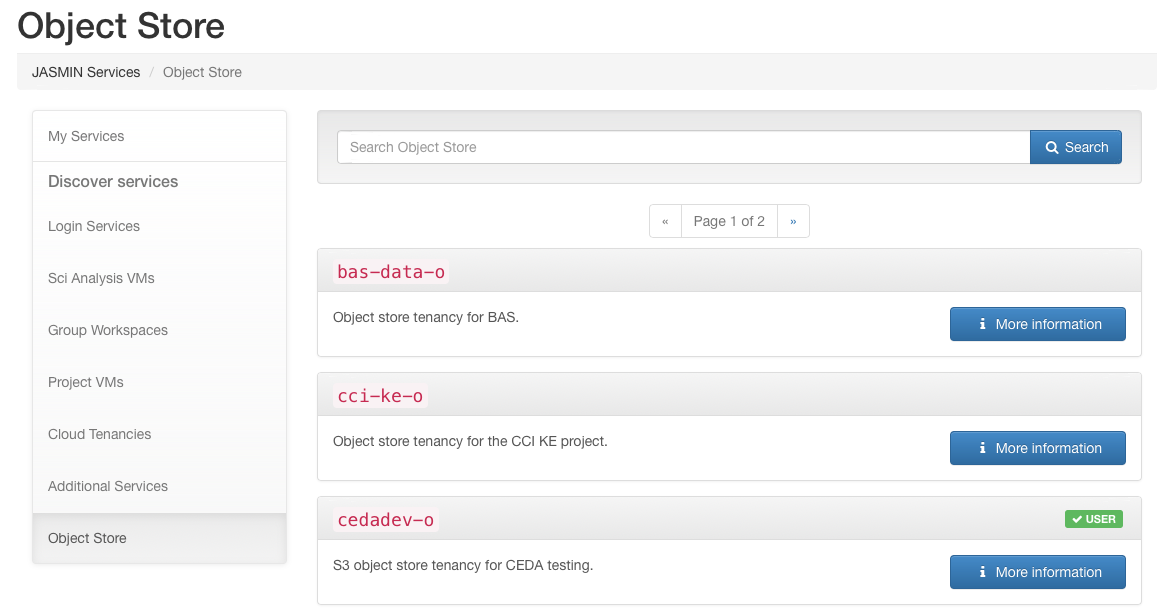
To join an existing object store tenancy, navigate to the “Services” section in the JASMIN Accounts Portal and select the “Object store” category. Select a tenancy and submit a request to join. This request will then be considered by the manager of the tenancy and either accepted or rejected.
To request a new Object Store, or a change in quota please see Requesting Resources.
Default access policies
As of Jan 2024, we have changed the default access policy for newly created tenancies to provide a more sensible and flexible set of access policies.
The old policy allowed any members of the tenancy access to any bucket created in the tenancy by default. The new policy allow Users (USER only in the JASMIN Accounts Portal) of the tenancy only access to buckets they own by default. This can be effectively changed to the old policy by setting the policy of the bucket to the LDAP group for the tenancy members (
The new policy also gives admin access for tenancy MANAGER and DEPUTY roles, who have access to all the buckets in the tenancy. Deputies can be added via the JASMIN accounts portal in the same way as Group Workspaces (on the page for the Object Store service).
URLs for internal and external access
Although the data is exactly the same in both cases, a slightly different URL must be used depending on whether you are accessing the object store from the JASMIN managed cloud servers or from the JASMIN External Cloud.
From inside JASMIN, including LOTUS and the Scientific Analysis servers,
my-os-tenancy-o.s3.jc.rl.ac.uk should be used, with the http:// prefix.
From the JASMIN External Cloud, and from locations external to JASMIN, my-os-tenancy-o.s3-ext.jc.rl.ac.uk should be
used - note the https:// prefix and additional -ext.
(Where my-os-tenancy-o needs to be replaced with your tenancy name)
Important Considerations
Large objects and performance
When objects are uploaded to the object store, one option on upload is how large to make the “chunks” which an object is split into (often this is hidden behind a default value). For very large objects, a relatively small chunk size will spread the object out a lot. When a request is made to access the file, the system has to work out where all the chunks of file are before it can start the request. This means that for large objects, there will be a large latency in requests if the file has a small chunk size.
We advise that for files of 10s of GB or larger that the chunk size is at least 200MB to reduce the number of parts the file is uploaded in. The option for this will often be called something like “multipart upload” or similar. The AWS S3 documentation has more information about multipart uploads .
s3cmd has two options related to multipart uploads:
--disable-multipart--multipart-chunk-size-mb=SIZE
Other methods of access will have similar options.
Workaround for bug affecting deletion when quota is reached
Currently the JASMIN Object store is set to be “read-only and delete” when the quota for the tenancy is reached, i.e. stopping writes, but allowing reads and deletes.
However, there is currently a bug which blocks deletes done with a HTTP POST request. HTTP DELETE requests are still allowed when the quota is reached.
This means that when the tenancy is full, you won’t be able to do deletes with a POST request, including recursive deletes. You will have to do a DELETE request to free up some space and unlock the tenancy for writes, then do a recursive delete if you need to.
For example:
mc rmdoes a
POST... /?delete=but if you use
s3cmd rmto delete a single object it uses
DELETE ...